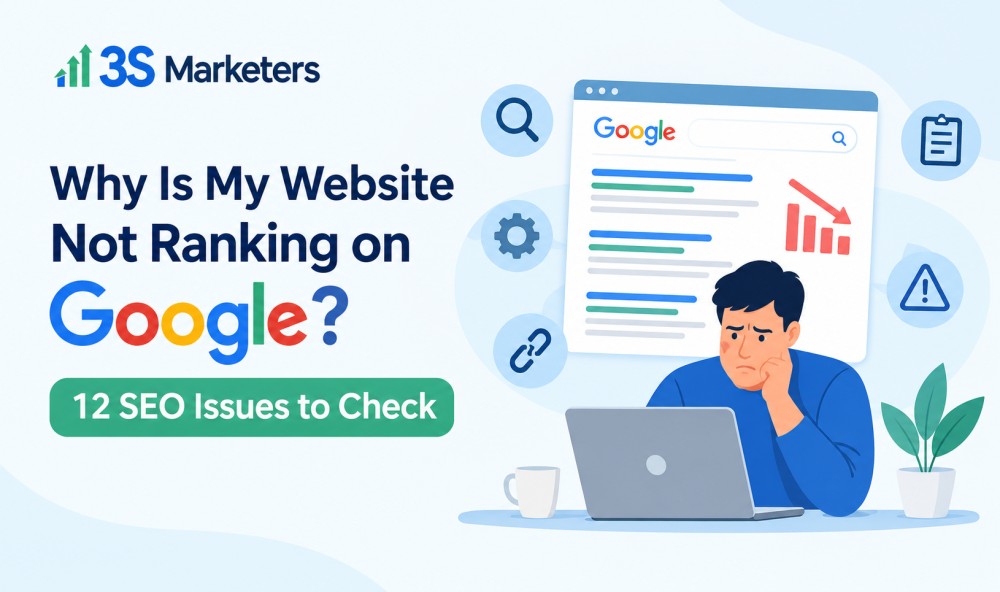
You have invested time and money in your website, published content, and perhaps even built some backlinks. Yet, when you search for your target keywords on Google, your website is nowhere to be found. If this sounds familiar, there is likely an SEO issue preventing your pages from reaching their full potential.
A website not ranking on Google does not necessarily mean your content is poor or your website needs a complete redesign. The problem could be related to indexing, technical errors, keyword targeting, content quality, or competition from better-optimized websites.
The good news is that most ranking problems can be investigated systematically. By identifying the underlying issues, you can build a practical plan to improve search visibility, attract relevant visitors, and generate more organic leads.
In this guide, 3S Marketers explains 12 common website SEO issues, how to identify them, and what you can do to fix them.
1. Your Website Is Not Indexed by Google
Before your website can appear in Google search results, Google generally needs to discover, crawl, and index its pages. If important pages are missing from the index, optimizing their content alone will not solve the problem.
How to Check for Google Indexing Problems
Start by opening Google Search Console and inspecting your homepage or an important service page using the URL Inspection tool. Review whether the URL is indexed and check for any reported indexing issues.
Common causes include:
- Pages blocked by your robots.txt file.
- Accidental
noindexdirectives. - Incorrect canonical tags.
- Newly published pages that Google has not discovered.
- Server errors that prevent Googlebot from accessing content.
How to fix it: Resolve the underlying issue, ensure Google can crawl the page, and request indexing through Search Console when appropriate. Submitting an XML sitemap can also help Google discover important URLs, although it does not guarantee indexing.
2. You Are Targeting the Wrong Keywords
Your website might be ranking for keywords, but those terms may not match what your potential customers are searching for.
For example, a business offering SEO services may target a broad term such as “marketing.” However, a more specific keyword like “SEO services for small businesses” may better reflect the needs of its intended audience.
How to Improve Keyword Targeting
Start by researching the terms your audience uses when looking for your products or services. Consider search intent, competition, relevance, and the type of content currently appearing in search results.
Organize your keywords around specific pages rather than targeting every keyword on your homepage. Service pages should focus on commercial terms, while blog posts can address informational questions and common customer problems.
How to fix it: Review your keyword strategy, map primary and secondary keywords to relevant URLs, and create content that satisfies the searcher’s actual needs.
3. Your Content Does Not Fully Answer the Search Query
Publishing a blog post does not automatically make it competitive in search results. If your content provides only a basic explanation while competing pages offer detailed answers, practical examples, and clear next steps, your page may struggle to gain visibility.
Thin content, outdated information, repetitive paragraphs, and pages created primarily to target keywords can also weaken the usefulness of your website.
How to Improve Content Quality
Review the pages that receive little organic traffic. Ask whether they answer the main question, address related concerns, and provide enough information for readers to take action.
Update outdated statistics, add relevant examples, explain complicated concepts clearly, and remove unnecessary repetition. Where appropriate, combine overlapping pages that serve the same purpose.
How to fix it: Prioritize useful, accurate, original content that demonstrates relevant experience and answers the search query more effectively. Avoid adding words simply to reach a particular article length.
4. Your Website Has Technical SEO Problems
Technical SEO issues can prevent search engines from accessing, understanding, or properly indexing your website. These problems are not always visible to visitors, which makes them easy to overlook.
Examples include broken internal links, redirect chains, incorrect canonical tags, duplicate URLs, server errors, and JavaScript rendering problems.
When Do You Need a Technical SEO Audit?
A technical SEO audit helps identify issues affecting crawling, indexing, website structure, and performance. It is especially useful when organic traffic suddenly drops, important pages disappear from search results, or a website redesign causes ranking changes.
How to fix it: Check Google Search Console for indexing and crawling reports, use a reliable website crawler to identify technical errors, and prioritize problems according to their impact.
Start with issues that prevent important pages from being crawled or indexed. Then address broken links, unnecessary redirects, duplicate content signals, and other structural problems.
5. Your Website Loads Too Slowly
Visitors expect web pages to load quickly, particularly on mobile devices. A slow website can frustrate users, increase abandonment, and make it harder for visitors to complete important actions.
Page speed is also relevant to Google’s page experience systems, although a fast website alone will not guarantee high rankings.
How to Identify Speed Problems
Use Google PageSpeed Insights to evaluate your website’s performance and review its Core Web Vitals.
Common problems include oversized images, excessive JavaScript, slow server responses, render-blocking resources, and poorly configured caching.
How to fix it: Compress images, serve appropriately sized image files, reduce unnecessary scripts, enable effective caching, and review your hosting performance.
Focus on the issues that meaningfully affect real-user experience rather than chasing a perfect performance score.
6. Your Website Is Not Mobile-Friendly
Google primarily uses the mobile version of a website’s content for indexing. If your mobile pages contain less information than desktop pages, important content or links may be overlooked.
A poor mobile experience can also make it difficult for visitors to read content, navigate menus, or contact your business.
How to fix it: Test important pages on different screen sizes. Make sure text is readable, buttons are easy to tap, navigation works correctly, and essential content is available on mobile.
Also check that images, forms, and interactive elements function properly without requiring visitors to zoom in or scroll horizontally.
7. Your Pages Have Weak Title Tags and Meta Descriptions
Title tags help Google and users understand the subject of a page. A vague, duplicated, or misleading title may make it harder to communicate relevance and encourage searchers to click.
Meta descriptions are not a direct Google ranking factor, but a useful description can help users understand what a page offers before visiting it. Google may also generate a different search snippet based on the query.
How to Optimize Your Metadata
Write a unique, descriptive title for each important page. Include the primary keyword naturally and make the page’s purpose clear.
For example, instead of using a generic title such as “Our Services,” a more descriptive option might be “SEO Services for Small Businesses | 3S Marketers.”
How to fix it: Review your title tags, meta descriptions, and heading structure. Make sure each page communicates a distinct purpose without unnecessary keyword repetition.
8. Your Website Has Weak Internal Linking
Internal links connect related pages within your website. They help visitors discover useful information and help search engines understand the relationships between different sections of your site.
When important service pages receive few internal links, search engines may have a harder time discovering them or understanding their importance within your website structure.
How to Strengthen Internal Links
Link relevant blog posts to related service pages. For example, an article about common SEO mistakes could link to your technical SEO audit service where readers can learn about professional support.
Use descriptive anchor text that explains what the destination page covers. Avoid forcing keywords into every link or adding links that do not help the reader.
How to fix it: Review your website navigation, service pages, and blog content. Create logical connections between related topics and ensure important pages are accessible through crawlable links.
9. Your Website Has Few Relevant Backlinks
Backlinks are links from other websites pointing to your pages. Relevant, editorially earned links can help Google understand how pages fit into the wider web and may contribute to search rankings.
However, buying large quantities of low-quality links or participating in manipulative link schemes can create risks rather than deliver sustainable results.
How to Build a Stronger Backlink Profile
Create resources that other websites have a genuine reason to reference. These might include original research, detailed industry guides, useful statistics, or practical case studies.
You can also pursue relevant guest contributions, digital PR opportunities, and relationships with reputable websites in your industry.
How to fix it: Analyze your existing backlinks, identify relevant opportunities, and focus on earning quality links rather than chasing a specific backlink count.
10. Your Website Has Duplicate or Competing Content
Sometimes, multiple pages target the same keyword or answer nearly identical questions. This can make it difficult to establish which page should appear in search results for a particular query.
For example, publishing several blog posts with almost identical advice about improving website rankings may create unnecessary overlap.
However, having multiple pages about the same broad subject does not automatically cause a ranking problem. The real concern is whether the pages serve distinct purposes or compete to satisfy the same search intent.
How to fix it: Review pages with overlapping topics, search queries, and content. Where appropriate, consolidate similar articles, improve their unique value, and use canonical tags when duplicate URLs genuinely need to exist.
Check Google Search Console to understand which URLs Google selects for relevant queries before making significant changes.
11. Your Website Has Poor User Experience
A visitor who cannot find the information they need may leave without contacting your business. Confusing navigation, intrusive pop-ups, broken forms, and unclear calls to action can all create unnecessary friction.
Although user engagement metrics such as bounce rate are not straightforward direct ranking signals, a website that serves visitors poorly can struggle to turn search visibility into meaningful business results.
How to Improve the Visitor Experience
Make your main navigation simple and ensure important information is easy to find. Use clear headings, readable paragraphs, relevant visuals, and prominent contact options.
For service pages, explain what you offer, who it benefits, and what visitors should do next. Test forms and other conversion paths regularly.
How to fix it: Review your website from the perspective of a first-time visitor. Improve usability, remove unnecessary distractions, and make the next step obvious.
12. Your Website Has Not Built Enough Authority or Topic Coverage
Some keywords are highly competitive, particularly in industries where established websites have extensive content, strong backlink profiles, and years of relevant search visibility.
A newer website may struggle to rank for broad, competitive terms even when its technical setup is sound.
Publishing unrelated articles simply to increase content volume is unlikely to solve this problem.
How to Build Relevant Topical Coverage
Identify the main subjects your target customers care about. Then develop useful content around related questions, services, comparisons, and practical problems.
For example, a website offering SEO services could publish guides about keyword research, technical SEO, on-page optimization, local SEO, content strategy, and website audits.
Connect these articles through relevant internal links and keep important information accurate and current.
How to fix it: Build a focused content strategy around your services and audience. Track organic impressions, clicks, rankings, and conversions to identify which topics deserve further investment.
Remember that ranking improvements take time, and no content strategy can guarantee a particular position on Google.
How to Find Out Why Your Website Is Not Ranking on Google
If you have identified several possible issues, avoid making random changes across your entire website. A structured review can help you determine which problems deserve attention first.
Follow these steps:
- Check Google Search Console: Review indexing reports, URL inspection results, search queries, impressions, and clicks.
- Analyze your organic traffic: Use Google Analytics or another analytics platform to identify changes in traffic and conversions.
- Audit your technical SEO: Check crawlability, indexability, redirects, canonical tags, broken links, and XML sitemaps.
- Review keyword targeting: Compare your target keywords with the queries already generating impressions.
- Evaluate content quality: Identify outdated pages, overlapping topics, and content that does not adequately answer search intent.
- Analyze competitors: Examine the content, page structure, and relevant backlinks of websites ranking for your target keywords.
- Prioritize fixes: Address indexing blockers and critical technical errors before moving to content improvements and longer-term authority building.
This process helps you distinguish between technical problems and competitive challenges. It also gives you a clearer basis for measuring whether your SEO work is producing results.
Need Help Fixing Your Website’s SEO Issues?
When your website is not ranking on Google, the most effective solution starts with understanding what is preventing it from performing well.
At 3S Marketers, we help businesses and digital marketing agencies identify SEO problems, improve website optimization, and develop strategies to strengthen organic search visibility.
A comprehensive review can help uncover technical SEO issues, indexing problems, keyword targeting gaps, content weaknesses, and opportunities to improve internal linking.
Instead of guessing which changes might work, use an evidence-based approach to identify priorities and build a practical improvement plan.
Explore 3S Marketers to learn more about our SEO services and how we can help improve your website’s search performance.
At 3S Marketers, we run these audits for businesses that want a clear, prioritized list rather than a 90-page report nobody reads. If your website still isn’t ranking, get in touch with our team and we’ll take a look.
Website Not Ranking FAQs
How do I check if Google has indexed my website?
Open Google Search Console, select your website property, and use the URL Inspection tool to check individual pages. You can also search Google using the site:yourdomain.com operator for a rough indication of indexed URLs, but this is not a complete or definitive indexing report.
How long does it take for a website to rank on Google?
There is no fixed timeline. New pages may appear in search results relatively quickly, while meaningful ranking improvements can take weeks or months, depending on competition, website history, content quality, and the changes implemented.
Can technical SEO issues prevent my website from ranking?
Yes. Problems such as accidental noindex directives, blocked crawling, server errors, and incorrect canonical tags can prevent important pages from being indexed or selected appropriately for search results. A technical SEO audit can help identify these issues.
Does publishing more blog posts improve Google rankings?
Not necessarily. Publishing useful, relevant content can help your website address more search queries, but quantity alone does not guarantee rankings. Focus on original information, search intent, topical relevance, and a clear content strategy.
Do backlinks help improve website rankings?
Relevant, naturally earned backlinks can support SEO by helping search engines understand how pages relate to other resources on the web. However, backlinks are only one consideration, and manipulative link-building practices can create risks.
How can I improve my website rankings without increasing my SEO budget?
Start by fixing critical indexing errors, improving existing content, correcting broken internal links, optimizing page titles, and updating outdated information. Google Search Console and other free tools can help you identify opportunities before investing in additional services.
Should I hire an SEO agency if my website is not ranking?
Consider professional SEO support if you cannot identify the cause of your ranking problems, have experienced a significant traffic decline, or need help with technical issues and a long-term strategy. An experienced agency should explain its findings, recommend prioritized actions, and measure progress using relevant performance data.